

Why proper shutdown matters
Playing with your Tesla involves more than just pressing the start button. It requires managing the vehicle’s digital systems with the same care you’d give to a high-performance computer. A clean shutdown prevents phantom drains and keeps the software responsive, ensuring the car is ready for your next drive.
When you park your Tesla, the car doesn’t just turn off; it enters a low-power state. If this transition is interrupted or managed poorly, background processes can continue to draw power from the battery, even when the car is asleep. This "phantom drain" can reduce your range overnight and, in some cases, lead to a dead 12V battery that leaves you stranded.
Think of your Tesla like a smartphone. If you force-close apps or leave them running in the background, the battery degrades faster and the system becomes sluggish. Similarly, a proper shutdown ensures that all software updates, climate controls, and security systems are properly saved and suspended. This routine maintenance is the foundation of a reliable driving experience.
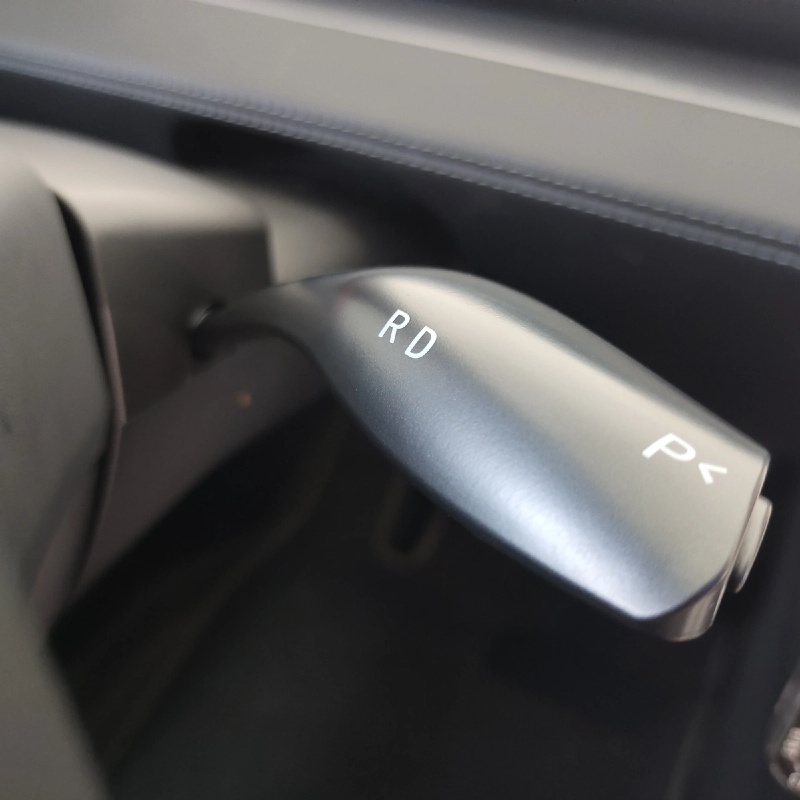
How to turn off your Tesla and put it to sleep
The process of turning off a Tesla is simpler than traditional vehicles, but there is a specific sequence to ensure the car fully "sleeps" and stops draining the 12-volt battery or phantom loads. Unlike gas cars where you simply turn the key, Tesla vehicles require you to park, engage the brake, and then use the touchscreen to initiate the shutdown. This guide walks you through the exact steps to power down your Model 3, Model Y, Model S, or Model X.
1. Park and engage the brake
Before you can turn off the car, it must be in Park. Ensure the vehicle is completely stopped and the gear selector is in P. You do not need to press the brake pedal to park, but you must hold the brake pedal down if you are shifting into Park from Drive or Reverse. Once stationary, the car is ready for the shutdown sequence.
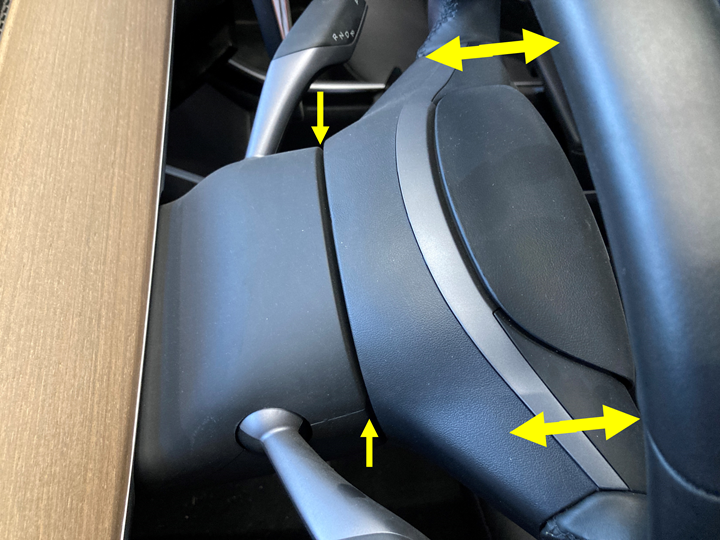
Ensure the car is fully stopped and in Park gear. The brake pedal should be released once the shift lever is in P.
Tap the power icon located in the top-left corner of the touchscreen. This opens the vehicle controls menu.
Tap the "Power Off" button in the menu. The screen will ask for confirmation to ensure you aren't trying to do this while driving.
The screen will dim and eventually turn off. Wait at least 30 seconds to ensure the car has fully entered sleep mode before exiting.
2. Confirm the car is asleep
After selecting "Power Off," the touchscreen will go black. This is normal. However, the car is not fully asleep immediately. You should wait about 30 to 60 seconds before opening the door. If you open the door too quickly, the car may wake up again, defeating the purpose of turning it off.
To confirm the car is asleep, look for the following signs:
- The touchscreen is completely black.
- The center console lights and ambient lighting are off.
- The door handles are retracted (if equipped with power-folding handles).
- The car is silent (no fans or pumps running).
3. Exit the vehicle
Once the car is asleep, you can exit. Close the door firmly. The car will automatically lock if you have "Auto Lock" enabled in the controls. If you have "Lock on Drive Away" disabled, the car may remain unlocked until you use the key fob or mobile app to lock it.
Common mistakes to avoid
- Leaving the car on: If you turn off the engine but leave the screen on, the 12-volt battery can drain. Always wait for the screen to turn off.
- Exiting too quickly: Opening the door before the car sleeps can wake it up. Wait for the screen to be completely black.
- Not locking: If you exit without locking, the car may remain accessible. Use the key fob or app to lock it if needed.
By following these steps, you can ensure your Tesla is properly turned off and ready for your next drive.
Common shutdown mistakes to avoid
Getting the car to sleep requires more than just pressing the power button. The vehicle’s computer monitors several physical states before it enters low-power mode. If any of these checks fail, the car stays awake, draining the 12-volt battery or preventing remote app updates.
The most frequent error is leaving the center console storage bin open. The car interprets an open bin as an active user zone. It keeps interior lights on and maintains network connectivity, assuming someone might still be in the vehicle. Always ensure the bin lid is fully closed and latched before you walk away.
Another common oversight involves the frunk and trunk. If either latch is not fully engaged, the car assumes a door is open. This keeps the air suspension active and the charging port light illuminated. A quick visual check of all four doors and the two main storage compartments is essential.
Some drivers also forget to close the windows or sunroof. While the car can technically sleep with windows slightly open, it often delays shutdown to monitor for rain or intrusion. For maximum efficiency, ensure all glass is fully retracted.
Ensure the lid is fully latched. An open bin keeps interior systems active.
Check that both the front and rear storage compartments are securely closed.
Retract all windows and the sunroof completely to allow immediate sleep mode.
Why a Dedicated Wall Charger Changes the Game
Relying on a standard 120-volt household outlet is like trying to fill a swimming pool with a garden hose. It works, but it takes all night to add a usable amount of range. For daily "play"—meaning spontaneous trips, quick errands, and keeping the car ready for adventure—a dedicated wall charger (Level 2) is the only practical solution. It reduces charging time by roughly four to five times compared to a standard outlet, ensuring your Tesla is always topped off and ready to go.
Installing a home charger transforms your garage or parking spot into a personal fueling station. Instead of hunting for public stations or waiting hours at home, you simply plug in when you return. This setup supports the "turn off your car" philosophy by removing the anxiety of range depletion. You can leave the car running climate control or pre-conditioning without fear of draining the battery, because the charger maintains a steady, efficient power flow.
The installation process itself is straightforward but requires professional expertise. You will need a licensed electrician to assess your home’s electrical panel, install a dedicated circuit, and mount the charger. While the hardware is sold separately, the installation ensures safety and compliance with local electrical codes. This one-time investment pays for itself in convenience and time saved, making your Tesla truly usable for everyday life rather than just occasional long-distance travel.
Daily Readiness Checklist
Before you leave the driveway, run through this three-step sequence to ensure your Tesla is secure, comfortable, and ready for the next drive. This quick habit prevents the common frustration of returning to a cold cabin or a locked phone key.
- Charge connected: Verify the charging cable is fully seated in the port and the car indicates "Charging" or "Connected." A loose connection can stop the charge cycle, leaving you with less range than expected the next morning.
- Climate set: If you use scheduled preconditioning, confirm the schedule is active in the app. This ensures the battery and cabin are at your preferred temperature before you start driving, maximizing range and comfort.
- Doors locked: Check that the center console displays a locked icon. Tesla doors lock automatically when you walk away with your phone key, but a manual check via the app provides peace of mind.
Completing these steps takes less than a minute but eliminates the most common daily hassles. Treat this as your final "turn off" ritual before leaving the vehicle.
Frequently asked questions about turning off your Tesla
Here are answers to common questions about shutting down and charging your vehicle.
No comments yet. Be the first to share your thoughts!