

First impressions
The Cybertruck is built differently than other Teslas, mostly due to the stainless steel body and the sheer scale of the battery. We don't have a decade of data yet, but the first few thousand miles on these trucks show a clear pattern: you'll spend more time cleaning the metal and checking the tires than you will in a service center.
Tesla has consistently emphasized a minimalist approach to service, prioritizing software updates to address issues and proactive monitoring of vehicle health. This holds true for the Cybertruck, but the sheer size and complexity of the vehicle introduce new considerations. Expect fewer traditional "wear and tear’ items compared to a gasoline car, but a greater focus on preventative care for the battery and unique exterior materials. It’s important to remember that while the Cybertruck is designed for durability, it"s not maintenance-free.
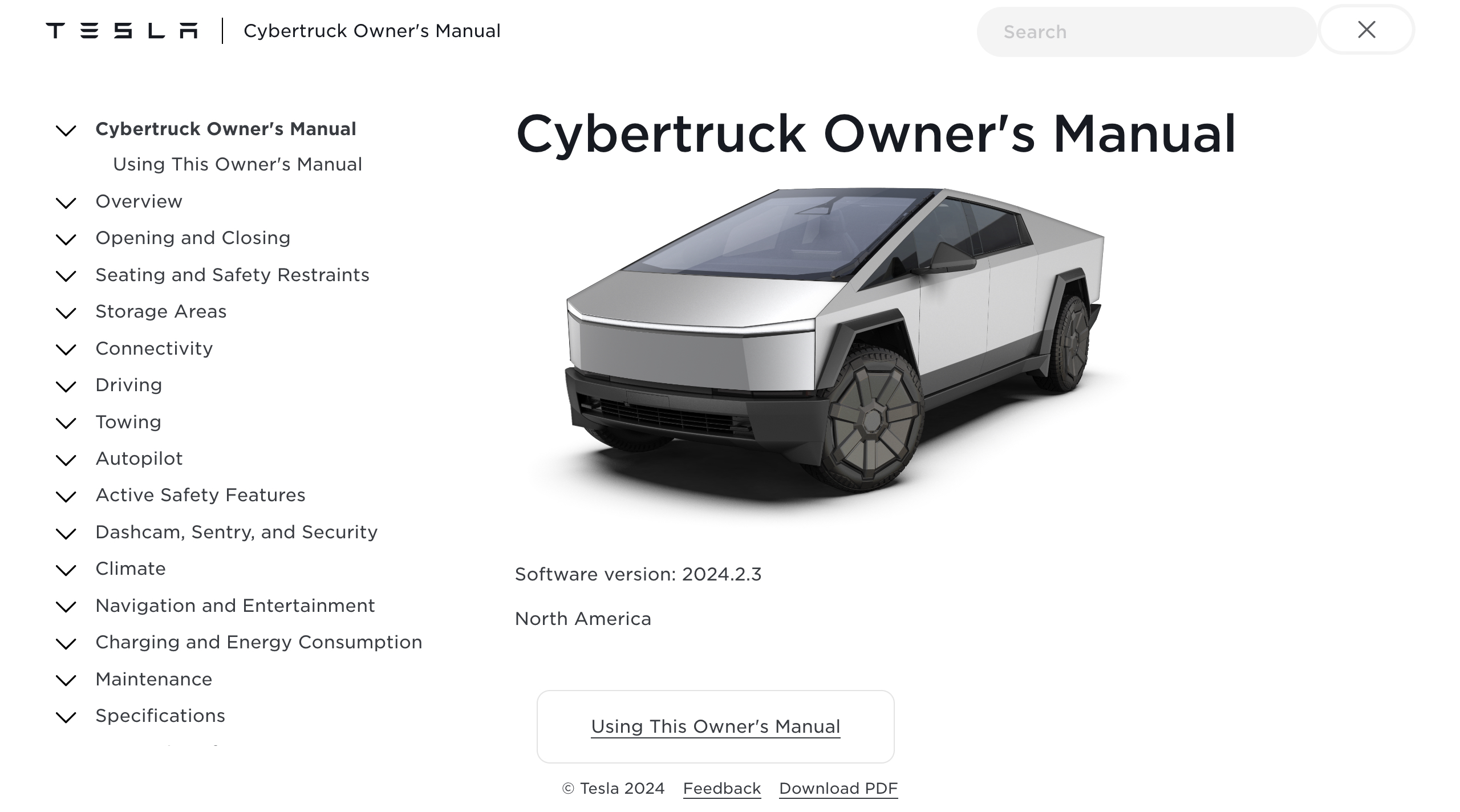
This guide aims to provide a comprehensive overview of what Cybertruck owners can expect in terms of maintenance, drawing on information from Tesla’s official documentation and early owner reports. We'll cover everything from scheduled service intervals to caring for the stainless steel body, and managing battery health. It's a new world when it comes to vehicle care, and we’re here to help you navigate it.
Tesla's service intervals
As of late 2023 and early 2024, Tesla’s official maintenance schedule for the Cybertruck is relatively sparse. This reflects their confidence in the vehicle’s reliability and the benefits of electric powertrains. However, there are key items owners should be aware of. Currently, Tesla recommends a brake fluid health check every four years, with replacement only if necessary. Determining 'necessary' relies on Tesla’s diagnostic tools and assessment of fluid condition – it's not a time-based replacement.
Another scheduled item is the HEPA filter replacement, which should occur every two years. If you frequently drive off-road or in dusty environments, Tesla recommends annual replacement. The HEPA filter is important for maintaining cabin air quality, and its effectiveness diminishes over time with use. Skipping these services isn’t likely to cause immediate catastrophic failure, but could lead to reduced braking performance (brake fluid) or poorer air quality (HEPA filter).
It’s worth noting what isn’t on the list. There are no oil changes, spark plug replacements, or exhaust system inspections – the benefits of an all-electric powertrain. This simplifies ownership considerably. However, don’t mistake a lack of scheduled items for a lack of any maintenance. Regular inspections of tires, lights, and wiper blades are still essential, as is addressing any unusual noises or warning lights.
- Brake Fluid: Health check every 4 years, replace if necessary.
- HEPA Filter: Replace every 2 years (annually for frequent off-road use).
Tesla Cybertruck Recommended Maintenance Schedule
| Service Item | Interval | Notes |
|---|---|---|
| Brake Fluid | Every 2 years or 25,000 miles | Tesla recommends periodic inspection and replacement as needed to maintain optimal braking performance. |
| HEPA Filter | Every 3 years or 30,000 miles | Replacement ensures continued cabin air quality. Frequency may vary based on driving conditions and air quality in the region. |
| Tire Rotation | Every 5,000 miles | Regular tire rotation promotes even wear and extends tire life. Check tire pressure monthly. |
| Wiper Blades | As needed | Replace when streaking or reduced visibility occurs. Environmental factors can affect wiper blade lifespan. |
| 12V Battery | Inspect Annually | Tesla recommends annual inspection of the 12V battery. Replacement is dependent on condition and performance. |
| Coolant (if applicable) | Every 4 years or 40,000 miles | Check coolant levels regularly. Replacement intervals may vary depending on driving conditions. |
Illustrative comparison based on the article research brief. Verify current pricing, limits, and product details in the official docs before relying on it.
Cleaning the stainless steel
The Cybertruck’s stainless steel exterior is arguably its most distinctive feature, and also one of the most discussed when it comes to maintenance. While Tesla claims the exterior is incredibly durable and requires minimal upkeep, the reality is a bit more nuanced. Stainless steel can be susceptible to water spots, fingerprints, and even light corrosion if not properly cared for. The good news is, keeping it looking its best isn't overly complicated, but it does require a slightly different approach than traditional paint.
Avoid abrasive cleaners and polishing compounds. These can scratch the stainless steel and diminish its appearance. Instead, opt for pH-neutral car wash soaps specifically designed for metal surfaces. Microfiber towels are your best friend – they’re soft and won’t leave swirl marks. Rinse thoroughly after washing to remove all soap residue. Water spotting is a common concern, especially in areas with hard water. Drying the vehicle immediately after washing is the best preventative measure.
Protecting the finish is where things get interesting. While some owners are opting for Paint Protection Film (PPF) to guard against scratches and stone chips, others are experimenting with waxes and sealants designed for stainless steel. There’s no consensus on the "best" approach yet. PPF offers the most comprehensive protection, but is also the most expensive. Waxes and sealants provide a barrier against the elements and make cleaning easier, but require more frequent reapplication. Removing road grime and bug splatters promptly is crucial to prevent them from etching into the stainless steel.
- Wash with pH-neutral soap and microfiber towels to avoid scratching the grain.
- Do: Dry the vehicle immediately after washing.
- Don't: Use abrasive cleaners or polishing compounds.
Tires and wheels
The Cybertruck’s unique tire size (35-inch diameter) presents a potential challenge for owners. Availability may be more limited compared to standard tire sizes, and prices could be higher. Regular tire rotations are essential to ensure even wear and maximize tire life. Tesla recommends checking tire pressure monthly and adjusting it to the recommended levels (found on the driver’s side doorjamb).
Given the Cybertruck’s substantial weight and size, the wheels are particularly vulnerable to damage from potholes and road debris. Inspect the wheels regularly for dents, cracks, or bends. Consider investing in wheel protection devices or opting for heavier-duty wheels. Choosing the right tires depends on your driving needs. All-season tires are suitable for most on-road conditions, while all-terrain tires offer better traction for off-road adventures.
Winter tires are highly recommended if you live in an area with significant snowfall or icy conditions. The Cybertruck’s weight and powerful electric motor can make it difficult to control on slippery surfaces without proper winter tires. Maintaining correct tire pressure is even more critical in cold weather, as pressure decreases with temperature.
- Rotate tires: Ensure even wear.
- Check pressure: Monthly, adjust to doorjamb recommendation.
- Inspect wheels: Regularly for damage.
Battery Health & Charging
Maximizing battery life is a key aspect of Cybertruck ownership. While Tesla’s battery technology is advanced, all batteries degrade over time. Charging habits play a significant role in this degradation. DC fast charging generates more heat, which can accelerate battery degradation. While convenient, limit your reliance on DC fast charging and prioritize Level 2 charging whenever possible.
Tesla recommends keeping the battery charge level between 20% and 80% for daily use. Avoiding fully charging to 100% regularly can help prolong battery life. The vehicle’s software will automatically manage charging to optimize battery health. Be mindful of extreme temperatures, as both heat and cold can negatively impact battery performance. Park in the shade during hot weather and consider using a garage during cold snaps.
Signs of battery health issues include reduced range, longer charging times, and decreased performance. Tesla’s battery warranty covers defects in materials and workmanship, but the extent of coverage varies depending on the battery pack size and model year. Consult your warranty documentation for specific details.
Software Updates & Diagnostics
Tesla’s over-the-air software updates are integral to the Cybertruck’s maintenance and diagnostics. These updates can address software glitches, improve vehicle performance, and even add new features. Regularly installing software updates is crucial for keeping your Cybertruck running smoothly. The vehicle will notify you when an update is available, and the installation process is typically straightforward.
The Cybertruck’s touchscreen provides access to diagnostic information, allowing you to monitor the health of various vehicle systems. While the level of detail available is limited, you can view information about battery health, tire pressure, and other key parameters. Interpreting error codes can be challenging, as Tesla doesn’t always provide clear explanations.
If you encounter a software issue, Tesla recommends attempting a soft reset (rebooting the touchscreen). If the issue persists, contact Tesla Service for assistance. Remote diagnostics allow Tesla technicians to remotely access your vehicle (with your permission) to diagnose and potentially resolve certain issues.
Beyond the Basics: Long-Term Care
Beyond the scheduled maintenance items, there are a few long-term care considerations for Cybertruck owners. The 12V battery will eventually need to be replaced, similar to traditional vehicles. While the lifespan of the 12V battery can vary, it’s generally recommended to replace it every 3-5 years. Coolant checks may be necessary for certain components, although the Cybertruck’s all-electric powertrain minimizes the need for coolant maintenance.
The suspension components should be inspected periodically for wear and tear, especially if you frequently drive on rough roads or off-road. The interior materials are generally durable, but regular cleaning and protection will help maintain their appearance. Use a mild interior cleaner and protect leather surfaces with a leather conditioner.
Storing a Cybertruck for an extended period requires specific precautions. Disconnect the 12V battery to prevent it from draining. Keep the battery charge level between 50% and 70%. Cover the vehicle to protect it from dust and the elements. Regularly check tire pressure and consider using tire cradles to prevent flat spots.

No comments yet. Be the first to share your thoughts!