

What changed for 2026
Tesla’s 2026 winter updates focus on battery preconditioning efficiency. There isn't a single 'snow button,' but the car now manages thermal loads better than the 2025 software. Most of these changes are invisible, aimed at squeezing more miles out of a cold pack.
The core challenges of operating an EV in the cold remain consistent: reduced battery range, slower charging speeds, and increased demand on the heating system. Cold temperatures directly impact battery chemistry, reducing its ability to deliver power efficiently. Maintaining a comfortable cabin temperature also draws significant energy, further shortening range. Tesla’s Winter Mode attempts to mitigate these issues, but understanding why they occur is just as important as knowing how to use the mode itself.
The 2026 improvements are subtle, yet noticeable. Reports from Tesla owners suggest a slight increase in range preservation during preconditioning and more accurate range estimates displayed on the energy screen. These aren’t game-changing leaps, but they demonstrate Tesla’s commitment to continually improving the winter driving experience. It's about making the existing system work a little bit smarter, a little bit more efficiently.
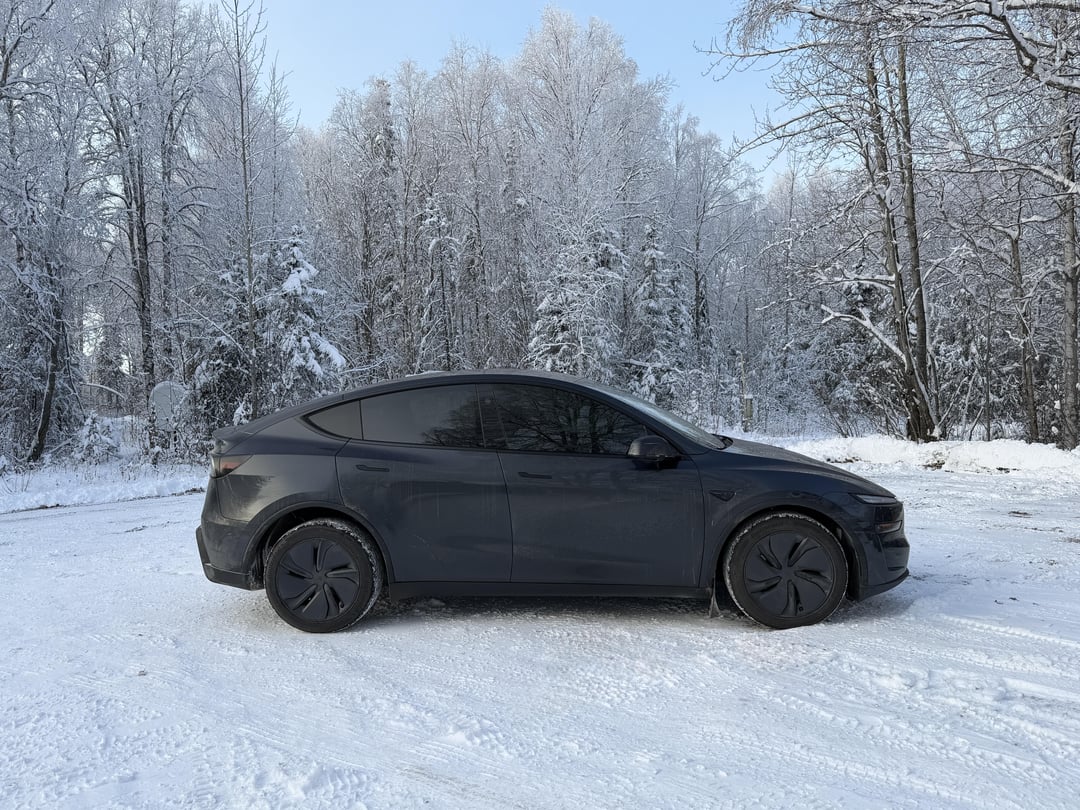
How to use preconditioning
Preconditioning is arguably the most important aspect of Tesla Winter Mode. It’s the process of warming up the battery and the cabin while the car is still plugged in. This uses grid power instead of battery power, preserving your driving range. Think of it as preparing your Tesla for action before you need to drive. It's a simple concept, but its impact is substantial.
You can initiate preconditioning in a few ways. The most convenient is through the Tesla app. Simply set a scheduled departure time, and the car will automatically begin warming up before you leave. You can also manually start preconditioning from the app, or enable automatic preconditioning in the car’s settings – this uses your calendar to anticipate your departures. Tesla learns your routines over time, making the process even more seamless.
The benefits of preconditioning are significant. You’ll maximize your available range, ensuring you reach your destination without range anxiety. A warm cabin is, of course, a huge comfort. Perhaps less obvious is the reduced stress on the battery. Repeatedly drawing large amounts of power from a cold battery can degrade its performance over time. Preconditioning minimizes this stress, potentially extending the life of your battery. What if you forget? The car will still operate, but you’ll experience reduced range and slower charging. Does it increase energy costs? Yes, but it’s typically far less expensive than depleting your battery to heat the cabin and battery while driving.
- Use the app to set a departure time so the car warms the battery using wall power.
- Manual Preconditioning: Start preconditioning remotely via the app.
- Automatic Preconditioning: Enable the feature in car settings to learn your driving habits.
Real-world range drops
Let’s be realistic: your Tesla’s range will decrease in cold weather. It’s not a matter of if, but by how much. The physics are straightforward. Cold temperatures increase the battery's internal resistance, making it harder for electrons to flow. This reduces the battery’s efficiency and, consequently, your range. The severity of the range reduction depends on several factors, including the ambient temperature, driving style, and the specific Tesla model.
Here are some estimated range reductions based on real-world data gathered from Tesla owners (as of early 2026): Model 3 Standard Range Plus might see a 20-30% reduction at 20°F, while the Model Y Long Range could experience a 25-35% drop. Model S and X, with their larger batteries, tend to fare slightly better, with reductions typically in the 15-25% range. At 0°F, these reductions can climb even higher. These are just estimates, and individual results will vary.
Driving style plays a crucial role. Aggressive acceleration and high speeds consume significantly more energy, exacerbating the range reduction. Regenerative braking is also affected; the system may be less efficient in extreme cold. Pay attention to the range estimate displayed on your Tesla’s screen. Remember, it’s an estimate based on your recent driving behavior and current conditions. It’s a helpful guide, but don’t treat it as a definitive number. Always factor in a buffer, especially on longer trips.
Charging in the Cold: What to Know
Charging speeds are also slower in cold weather, for the same reasons as range reduction: battery temperature management. Tesla’s charging algorithms prioritize battery health. When the battery is cold, it limits the charging rate to prevent damage. This means it will take longer to replenish your battery at both Superchargers and home charging stations.
Using a Tesla Wall Connector is generally preferable to a mobile connector in cold weather. The Wall Connector provides more consistent power delivery and can better manage battery temperature. Allowing the battery to warm up before initiating fast charging is essential. Start driving for a few minutes to generate some heat, then plug in at a Supercharger. This will allow the battery to accept a higher charging rate.
Supercharging availability can also be impacted by cold weather, with increased demand potentially leading to queues and slower speeds. Tesla’s algorithms dynamically adjust charging rates based on battery temperature and grid conditions. While specific charging curves at various temperatures aren't publicly available, the system is designed to protect the battery and maximize its lifespan.
Cabin Comfort: Heating and Defrosting
Teslas utilize a heat pump system for cabin heating, which is significantly more efficient than traditional resistive heating found in many gasoline cars. The heat pump doesn’t generate heat directly; instead, it moves heat from one place to another, extracting warmth from the environment and transferring it into the cabin. This results in less energy consumption and a greater impact on range compared to resistive heating.
The "Keep Climate On" feature allows you to keep the cabin warm (or cool) while the car is parked, but it comes at a cost – reduced range. Use it judiciously. For defrosting, utilize the front and rear defrosters, and experiment with the airflow settings to optimize visibility. Directing airflow to the windshield and side windows is key.
Remember to use windshield wiper fluid specifically designed for cold temperatures. Standard wiper fluid can freeze in the cold, rendering it ineffective. Regularly clear snow and ice from windows and sensors to ensure optimal visibility and functionality of driver-assistance features.
Tire Pressure & Winter Tires
Cold temperatures cause tire pressure to decrease. For every 10°F drop in temperature, your tires can lose approximately 1 PSI. This can affect handling, efficiency, and tire wear. Check your tire pressure regularly – ideally, weekly – and inflate them to the recommended pressure listed on the doorjamb sticker.
Winter tires offer significantly improved grip, shorter stopping distances, and better handling on snow and ice compared to all-season tires. They are made from a softer rubber compound that remains flexible in cold temperatures. Whether or not you need winter tires depends on your local climate and driving conditions. If you live in an area with frequent snow or ice, they are highly recommended.
The trade-off is that winter tires generally wear faster on dry pavement and can slightly reduce range. Tesla’s tire pressure monitoring system (TPMS) will alert you to low tire pressure, but it’s still important to manually check your pressure regularly, as the system may not always be accurate in extreme cold.
All-Season vs. Winter Tire Comparison for Tesla Vehicles
| Factor | All-Season Tires | Winter Tires |
|---|---|---|
| Snow/Ice Traction | Fair to Good (depending on specific tire) | Excellent |
| Dry Pavement Handling | Good | Fair |
| Wet Pavement Handling | Good | Good |
| Tread Wear | Good | Fair to Poor (softer compound wears faster) |
| Cost | Moderate | Higher |
| Road Noise | Generally Quiet | Generally Louder |
| Temperature Range | Optimal above 7°C (45°F) | Optimal below 7°C (45°F) - maintains flexibility |
| Stopping Distance (Cold, Icy Conditions) | Longer | Shorter |
Illustrative comparison based on the article research brief. Verify current pricing, limits, and product details in the official docs before relying on it.
Maintenance Checklist for Winter
Preparing your Tesla for winter doesn’t require extensive maintenance, but a few simple checks can make a big difference. Prioritize these tasks to ensure a safe and comfortable driving experience.
Here’s a quick checklist: check tire pressure weekly, top up windshield wiper fluid with a cold-weather formula, inspect wiper blades for wear and tear, ensure the cabin air filter is clean, check battery health (through the Tesla app, if available), and familiarize yourself with Winter Mode settings. A little preparation goes a long way.
- Check Tire Pressure: Weekly, especially with temperature fluctuations.
- Top Up Wiper Fluid: Use a cold-weather formula.
- Inspect Wiper Blades: Replace if worn.
- Cabin Air Filter: Ensure it’s clean for optimal airflow.
- Battery Health: Monitor through the Tesla app.
- Familiarize with Winter Mode: Understand the settings and how to use them.

No comments yet. Be the first to share your thoughts!