

A first look at FSD 13.0
Tesla’s FSD 13.0 is better than the last version, but it isn't magic. The car handles unprotected left turns with more confidence now, and the jerky behavior in city traffic has smoothed out. It still isn't fully autonomous, so you can't check out behind the wheel.
Early reports and user experiences suggest a marked difference in how FSD 13.0 handles these tricky situations. Previously a significant pain point for Tesla’s system, left turns now appear more confident and less hesitant. This improvement isn’t simply about speed; it’s about a more nuanced understanding of traffic flow and pedestrian behavior. The core of this advancement lies in Tesla’s ongoing transition to an end-to-end neural network architecture.
This move away from hand-coded rules towards a system that learns directly from data is fundamental. While the 'supervised' aspect remains – meaning a human driver must be attentive and ready to take control – the system is becoming increasingly capable of handling a wider range of real-world driving conditions. It’s a continuous learning process, and FSD 13.0 feels like a significant milestone in that journey.
The system still requires constant driver supervision, as designated by the 'supervised' label. Don’t treat it as a replacement for a focused, engaged driver. Think of it as a very advanced driver-assistance system, one that demands your attention just as much as, if not more than, previous versions.
How the new neural net works
The shift to an end-to-end neural network is perhaps the most important underlying change in FSD 13.0. Traditionally, self-driving systems relied on a modular approach, with separate components for object detection, path planning, and control. Each component was programmed with specific rules and algorithms. Now, Tesla is moving towards a single neural network that learns to map raw sensor data – primarily video from the car’s cameras – directly to driving actions.
This is a shift from the old way of coding specific rules. Instead of engineers writing lines of code for every stop light, the network watches millions of hours of video to figure out what a stop light looks like. It's more like muscle memory than a manual.
The benefit of this approach is its ability to handle 'edge cases' – those unusual or unexpected situations that traditional systems struggle with. Because the neural network isn’t constrained by pre-defined rules, it can potentially adapt to novel scenarios more effectively. It’s also crucial for continuous improvement. As the system encounters more data, it refines its understanding of the world and becomes more capable.
However, this approach isn’t without its challenges. Neural networks can be unpredictable, and it can be difficult to understand why they make certain decisions. This is an area where Tesla is actively working to improve transparency and reliability. The more data Tesla collects, the better the system becomes at recognizing and responding to complex situations.
Better unprotected left turns
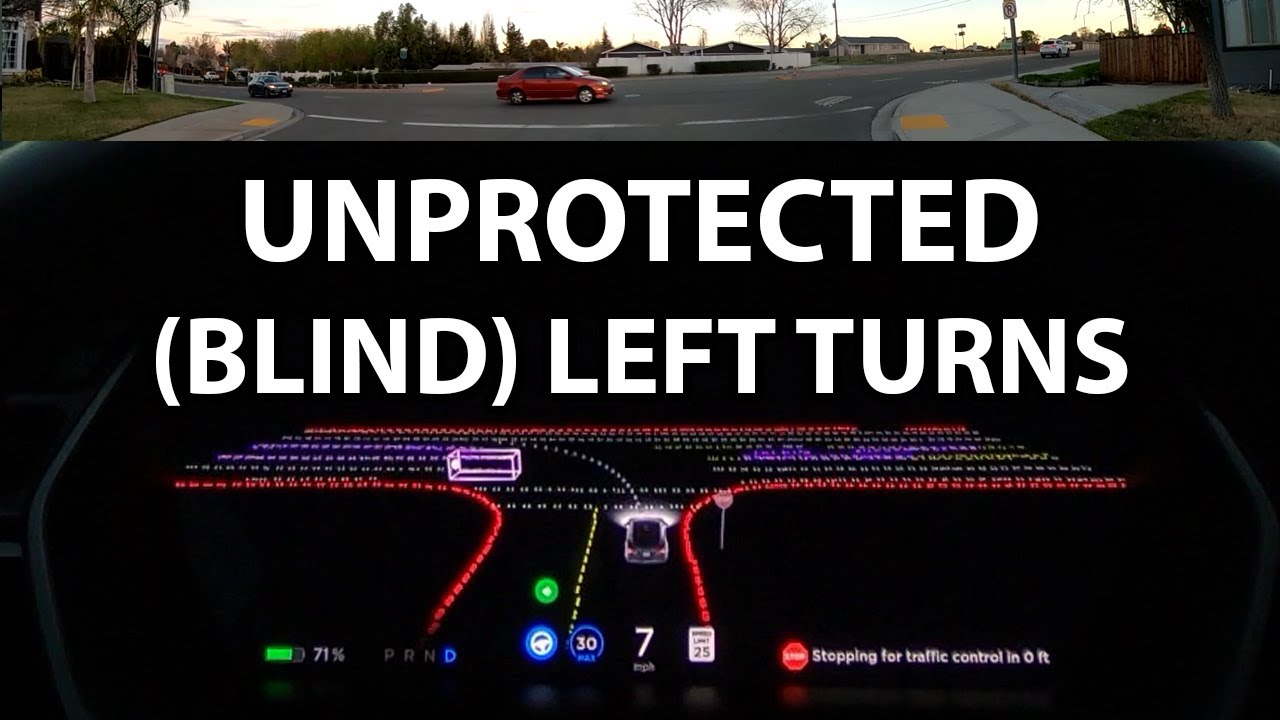
Unprotected left turns have long been a sticking point for Tesla’s FSD beta. Previous versions were often overly cautious, hesitant, or even prone to outright errors. FSD 13.0 appears to have made significant strides in this area, and it’s consistently highlighted by users as a major improvement. Dirty Tesla’s recent video demonstrates this quite clearly, showing the system confidently navigating challenging left-turn scenarios.
The change isn’t just about executing the turn more quickly. It’s about a more holistic understanding of the situation. The system seems better at predicting the behavior of oncoming traffic, judging gaps, and accelerating smoothly to complete the maneuver. It’s also more assertive – it doesn’t hesitate to take the turn when it’s safe to do so, but it remains cautious and avoids reckless behavior.
Previously, the system might have waited for an impossibly large gap in traffic, potentially causing frustration for other drivers. Now, it seems to be more willing to take calculated risks, while still prioritizing safety. This is a subtle but important difference. In one example highlighted by Dirty Tesla, the system accurately assessed the speed of oncoming vehicles and confidently executed a left turn that earlier versions would have likely avoided.
The improvement seems to stem from the enhanced neural network’s ability to process visual information more effectively. It’s not just seeing the cars; it’s understanding their intentions and predicting their trajectories. This allows the system to make more informed decisions and navigate left turns with greater confidence. It’s still not perfect, but it’s a substantial step in the right direction.
- The car judges the gap between oncoming cars more accurately.
- Predict Trajectories: It anticipates the movements of other drivers.
- Execute Smoothly: The turn is completed with confidence and minimal hesitation.
City driving feels more natural
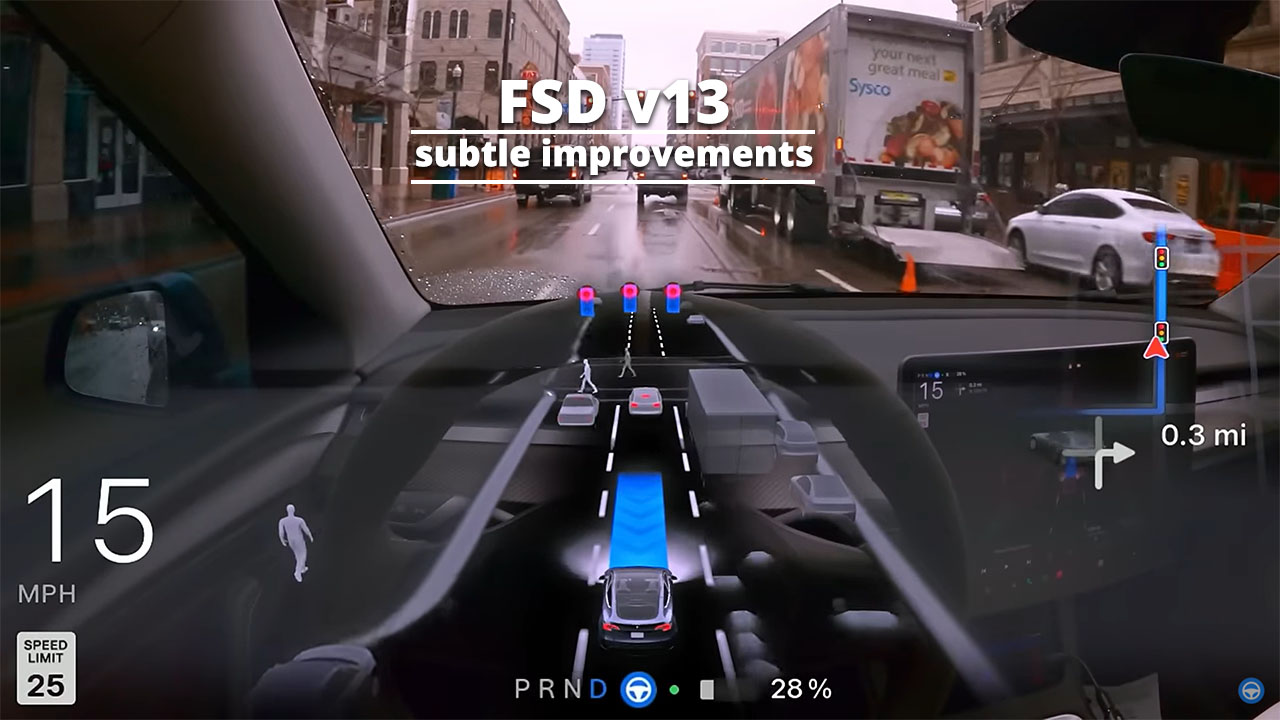
Beyond left turns, FSD 13.0 brings improvements to overall city street navigation. Many users are reporting a smoother, more natural driving experience. Phantom braking – the sudden, unexpected application of brakes – seems to be less frequent, although it hasn’t been entirely eliminated. This is a critical area for improvement, as phantom braking can be unsettling and even dangerous.
The system also appears to be handling pedestrians, cyclists, and parked cars with greater finesse. It’s better at anticipating their movements and adjusting its trajectory accordingly. Lane changes and merging onto highways also seem to be more fluid and less jerky. The overall effect is a more human-like driving experience, which is a key goal of Tesla’s FSD development.
Complex intersections and roundabouts, historically challenging for self-driving systems, are also showing improvement. The system is better at understanding the rules of the road and navigating these complex environments safely and efficiently. However, it’s important to note that performance will vary significantly based on location and road conditions. A well-marked, predictable intersection will be handled much more easily than a chaotic, poorly maintained one.
Reports suggest a more natural deceleration when approaching stop signs, and a better understanding of yield scenarios. While still requiring driver oversight, the system is demonstrating a greater capacity for independent decision-making in these common urban situations. It’s a gradual refinement, but the direction is clear: a more capable and confident urban driving experience.
FSD 13.0 & Driver Monitoring
FSD 13.0 is a supervised system. You are responsible for what the car does. The internal camera watches your eyes and head position to make sure you're looking at the road, not your lap.
If the system detects that the driver is inattentive – looking away from the road for too long, closing their eyes, or appearing drowsy – it will issue a series of warnings. These warnings start with visual alerts on the touchscreen, and escalate to audible chimes and eventually, disengagement of FSD. The car will slow down and come to a controlled stop.
The best practice is to keep your hands lightly on the steering wheel and your eyes on the road. Don’t rely on the system to handle everything. Be prepared to take control at any moment. It’s also important to avoid distractions, such as using your phone or engaging in complex conversations. The goal is to be fully aware of your surroundings and ready to respond to any unexpected events.
Relying too much on the system is dangerous and can lead to accidents. It’s tempting to let FSD do all the work, but that’s not what it’s designed for. Always treat FSD as an assistant, not a replacement, for a human driver. Your attention is the most important safety feature in the car.
- Keep hands lightly on the steering wheel.
- Keep your eyes on the road.
- Avoid distractions.
- Be prepared to take control.
Troubleshooting Common Issues
Even with the improvements in FSD 13.0, users are still reporting occasional issues. Common problems include disengagements – where the system unexpectedly hands control back to the driver – phantom braking, and unexpected behavior in certain situations. If you experience a disengagement, try to identify the circumstances that triggered it. Was it a complex intersection? A poorly marked lane? Understanding the cause can help you anticipate similar situations in the future.
Phantom braking can be particularly frustrating. If it happens, maintain a safe following distance and be prepared to take control. You can also report the incident to Tesla through the vehicle’s touchscreen. Providing detailed information about the event can help Tesla improve the system. To check for software updates, go to the "Software’ menu on the touchscreen and select ‘Check for Updates."
If you encounter a persistent issue, consider resetting the FSD computer. This can sometimes resolve minor glitches. Tesla’s support website also has a wealth of information and troubleshooting tips. Don’t hesitate to reach out to Tesla support if you’re unable to resolve the problem on your own. Remember to clearly document the issue and provide as much detail as possible.
It’s also worth checking online forums and communities, such as Reddit’s r/TeslaFSD, to see if other users are experiencing the same issue. Often, you can find helpful advice and workarounds from other beta testers. Reporting issues to Tesla is vital for continued development.
Optimizing FSD: Settings & Data
While FSD 13.0 is largely automated, there are a few settings that can influence its performance. Experiment with the "Following Distance’ setting to adjust how closely the car follows other vehicles. A longer following distance can reduce the frequency of phantom braking, but may also make the system more hesitant to merge. The ‘Speed Limit" setting allows you to control how aggressively the car accelerates and decelerates.
Data collection is crucial for improving FSD. Tesla uses the data collected from its fleet of vehicles to train and refine its neural networks. Opting into data sharing allows Tesla to learn from your driving experiences and improve the system for everyone. However, it’s important to be aware of the privacy implications. Tesla’s privacy policy outlines how your data is collected, used, and protected.
Consider enabling "Navigate on Autopilot" for long trips. This feature allows the system to automatically navigate highways, including lane changes and merges. It can significantly reduce driver fatigue, but still requires constant supervision. Regularly review your driving profile and identify areas where the system struggles. This can help you understand its limitations and anticipate potential issues.
Actively providing feedback to Tesla, through the reporting mechanisms within the car, is also a valuable way to optimize FSD. The more data Tesla receives about real-world driving scenarios, the better it can refine the system and address its shortcomings. Remember, your participation helps improve the technology for everyone.

No comments yet. Be the first to share your thoughts!