
A standalone FSD app
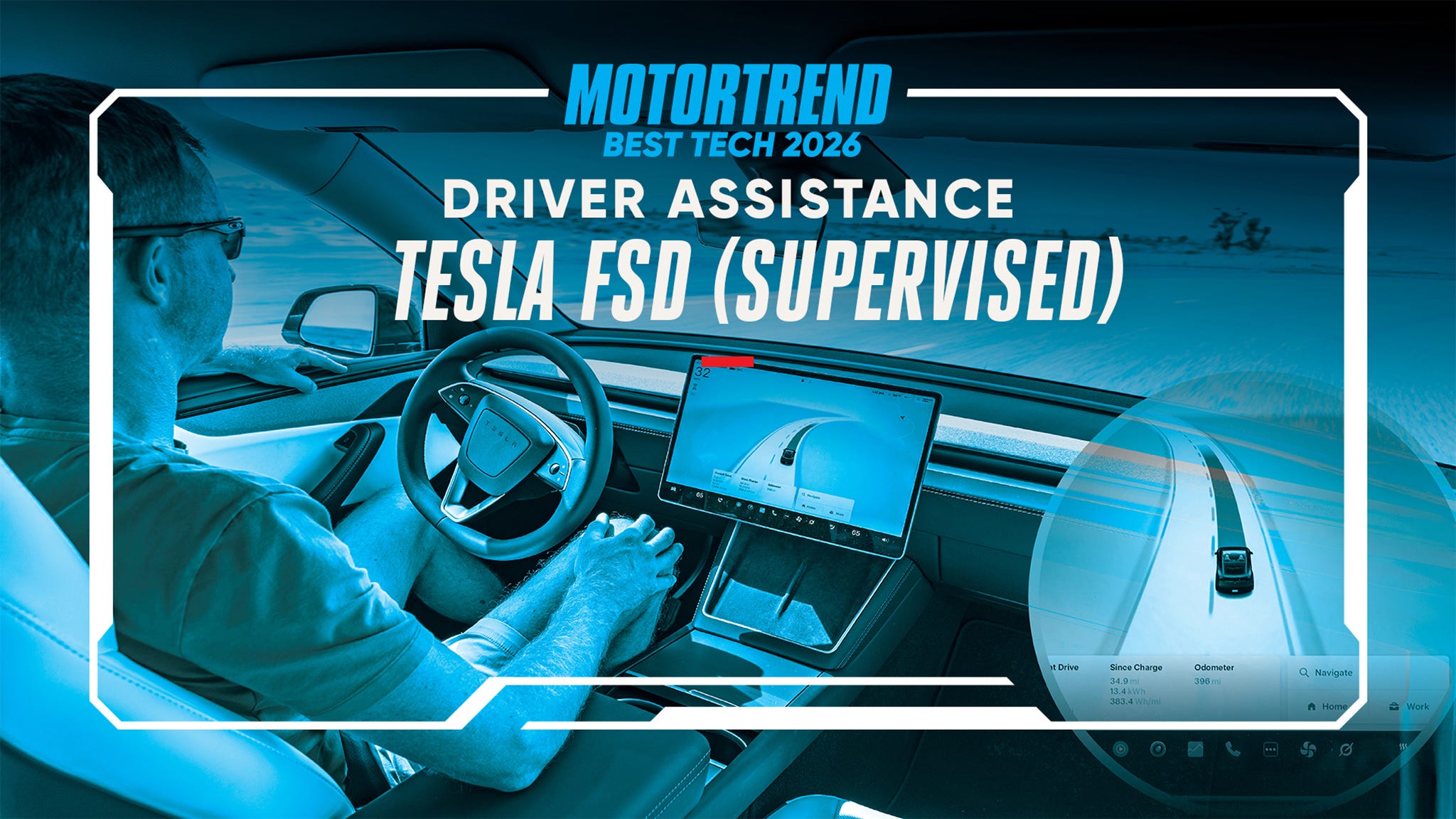
Tesla’s Spring 2026 update moves Full Self-Driving into its own dedicated app. It’s a big shift. For years, FSD was buried inside the main Tesla menus, which felt cluttered. By pulling it out into a standalone app, Tesla can push updates and fixes to the driving logic without needing to reboot the entire car's infotainment system every time.
I believe this separation is hugely important. The current integrated system can be overwhelming, especially for new users. A dedicated app allows Tesla to tailor the interface specifically to the needs of autonomous driving. It also opens the door for independent updates – meaning improvements and bug fixes for FSD can be rolled out without requiring a full vehicle software update. This is a practical improvement that should result in quicker advancements and a smoother experience overall.
Alongside the new app, Tesla is integrating "Hey Grok," a voice assistant powered by xAI. Initial capabilities are focused on controlling in-car functions and providing information, but its integration within the FSD app hints at potential future use cases related to autonomous driving. Imagine asking Grok to explain a maneuver the car is about to make, or to report a potential road hazard. While currently limited, the potential for voice-controlled FSD interaction is intriguing.
The move to a dedicated FSD app represents a clear signal that Tesla is doubling down on its autonomous driving efforts. It’s a strategic decision that prioritizes user experience and allows for faster development cycles. It will be fascinating to see how this new architecture evolves over time and how Tesla leverages the power of a dedicated application to refine and expand its FSD capabilities.
Better city driving and left turns
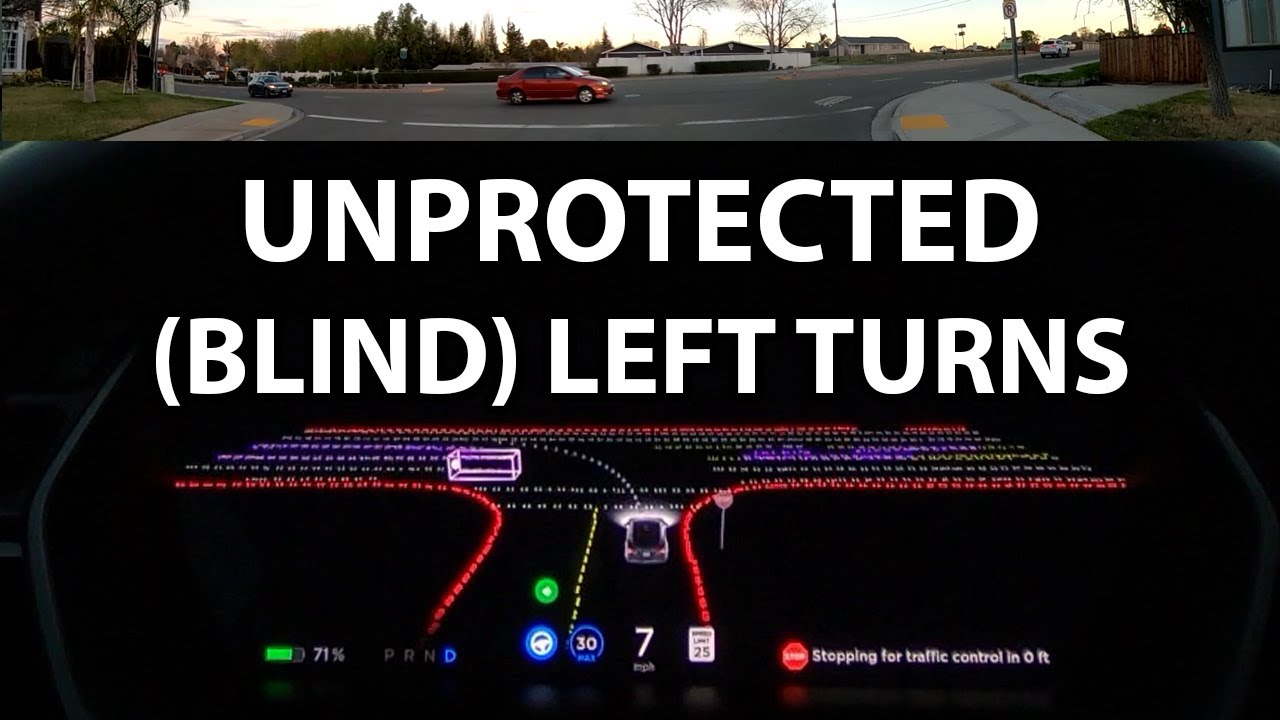
City street driving has always been the biggest challenge for autonomous systems, and Tesla’s FSD 2026 update promises substantial improvements in this area. Reports indicate significant progress in handling unprotected left turns – notoriously difficult maneuvers requiring accurate prediction of oncoming traffic and pedestrian behavior. The system is now reportedly better at assessing gaps in traffic and executing these turns with greater confidence.
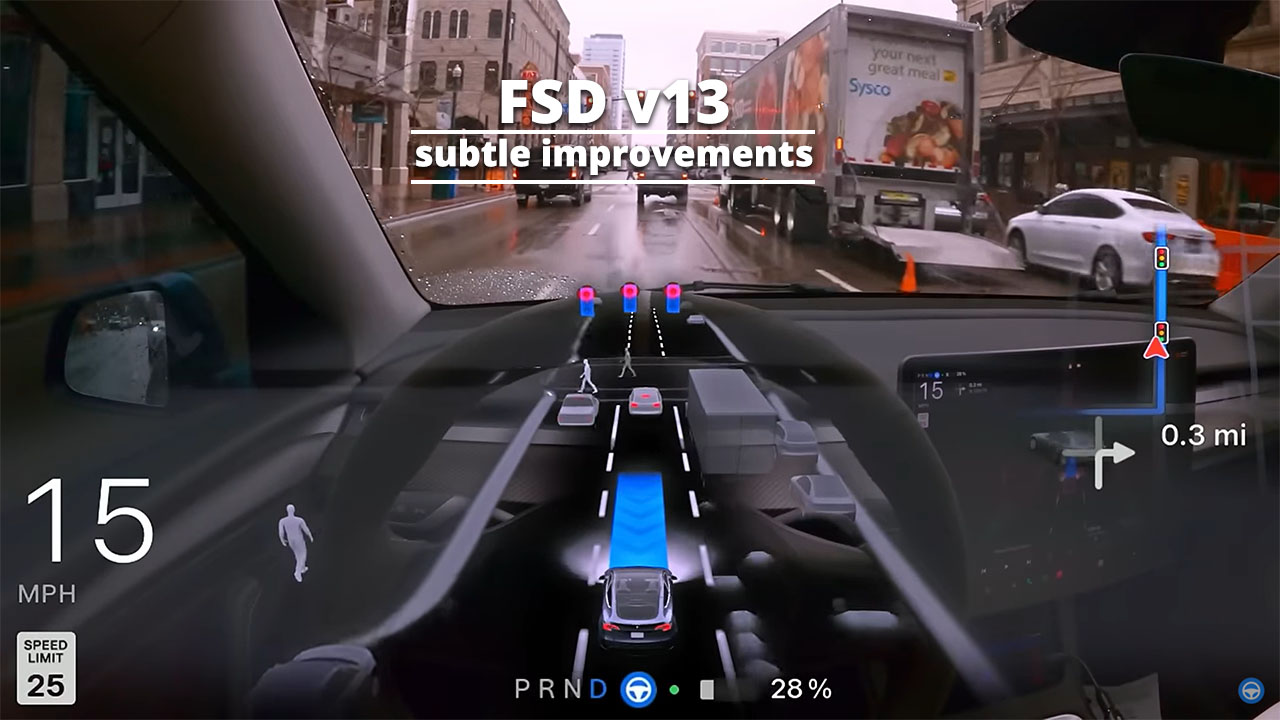
Complex intersections, with multiple lanes, traffic signals, and pedestrian crossings, have also been a focus of development. Tesla claims the system now exhibits a more nuanced understanding of intersection dynamics, allowing it to navigate these areas more safely and efficiently. This isn’t just about following traffic laws; it’s about anticipating the actions of other road users and making informed decisions in real-time. The system is supposed to be better at identifying and reacting to erratic driver behavior.
Pedestrian and cyclist detection has been further refined, with improvements in recognizing vulnerable road users in various lighting conditions and weather scenarios. This is a critical aspect of safe autonomous driving, and Tesla has invested heavily in improving the accuracy and reliability of its object recognition algorithms. The system now seems more capable of predicting pedestrian movements and adjusting its trajectory accordingly.
Phantom braking is the elephant in the room. We've all dealt with the car slamming on the brakes for a shadow or a bridge. Early word on the 2026 update suggests these heart-attack moments are finally less frequent. Tesla tweaked how the cameras filter out false positives, though I'll believe it when I see it on a two-lane highway at night.
- The car predicts oncoming traffic gaps better during left turns.
- Improved understanding of intersection dynamics
- Enhanced pedestrian and cyclist detection
- Reduction in 'phantom braking' events
Highway Autopilot Refinements
While city driving receives much of the attention, Tesla hasn’t neglected improvements to highway Autopilot functionality. The FSD 2026 update includes refinements to lane changes, merging, and navigation of highway exits and entrances. The system is reported to be more assertive and confident in its movements, resulting in a more natural and less hesitant driving experience.
Lane changes are now initiated and executed more smoothly, with the system better anticipating the speed and trajectory of surrounding vehicles. Merging onto highways is also improved, with the car now demonstrating a greater ability to find appropriate gaps in traffic and seamlessly integrate into the flow. This is a welcome change for drivers who have found the previous system to be overly cautious or indecisive.
Navigating highway exits and entrances has also been refined. The system is better at positioning the vehicle correctly for upcoming ramps and executing maneuvers with greater precision. This reduces the need for driver intervention and enhances the overall sense of autonomy. However, keep in mind that these are still supervised features.
Improvements have also been made to handling construction zones and adverse weather conditions. The system is now better at recognizing temporary lane markings and adjusting its speed and following distance accordingly. While it’s still important to exercise caution in challenging conditions, the FSD 2026 update represents a step forward in enhancing the robustness of highway Autopilot.
Tips for better performance
Getting the most out of FSD 2026 requires understanding how to optimize its performance. A crucial first step is ensuring the car’s sensors are clean. Dirt, grime, or snow on the cameras and radar can significantly impair the system’s ability to perceive its surroundings. Regularly cleaning the sensors is essential for reliable operation.
Accurate map data is also critical. Tesla relies on its neural network and map data to navigate roads and identify potential hazards. Ensuring that the map data is up-to-date is vital for optimal performance. Tesla automatically updates the map data over-the-air, but it’s still a good idea to check for updates regularly.
Understanding the limitations of the system is equally important. FSD is not a fully autonomous system, and it requires driver attention at all times. Be prepared to take over control if the system disengages or encounters a situation it cannot handle. I've found adjusting the following distance setting to 'Far' provides a more cautious and predictable driving experience.
Experiment with the FSD settings to tailor the system to your preferences. Adjust the speed limit offset, the lane positioning, and the following distance to find what works best for you. Pay attention to how the system responds to different road conditions and traffic scenarios, and adjust the settings accordingly. Remember, FSD is a learning system, and it will adapt to your driving style over time.
Troubleshooting Common FSD Issues
Even with the improvements in FSD 2026, users may still encounter occasional issues. Unexpected disengagements are a common occurrence, often triggered by challenging road conditions, ambiguous lane markings, or unpredictable behavior from other road users. If the system disengages, immediately take control of the vehicle and assess the situation.
Reporting bugs and providing feedback to Tesla is crucial for improving the system. Use the in-car reporting tools to submit detailed descriptions of any issues you encounter. Include as much information as possible, such as the date, time, location, and specific circumstances surrounding the disengagement.
One common issue reported by Tesla drivers is difficulty navigating roundabouts. The system can sometimes struggle to understand the complex geometry and traffic flow of roundabouts, leading to hesitation or incorrect maneuvers. Be prepared to take over control when approaching a roundabout.
It’s important to remember that FSD has limitations. It may struggle in heavy rain, snow, or fog, and it may not be able to handle complex construction zones or unusual traffic patterns. Always exercise caution and be prepared to intervene if necessary. And don’t rely solely on FSD – always remain vigilant and aware of your surroundings.
Optimizing Full Self-Driving Performance: Driving Condition & Setting Considerations
| Driving Condition | Recommended Approach | Potential Trade-off | Rationale |
|---|---|---|---|
| Highway Driving | Maintain a moderate following distance | May reduce reaction time in sudden stops | Allows for smoother lane changes and anticipates traffic flow more effectively. |
| City Streets | Prioritize cautious driving style | Can result in a more conservative and potentially slower pace | Navigating complex intersections and pedestrian activity requires increased attentiveness. |
| Light Rain | Reduce speed and increase following distance | May slightly extend travel time | Reduced visibility and road grip necessitate a more defensive driving profile. |
| Heavy Rain | Engage enhanced caution mode if available | Potential for more frequent disengagements | Significant reduction in visibility and traction demands a higher level of driver preparedness. |
| Night Driving (Well-Lit) | Standard FSD settings are generally suitable | Requires consistent driver monitoring | Good visibility allows the system to operate effectively, but driver attention is crucial. |
| Night Driving (Poorly Lit) | Increase following distance and reduce speed | May lead to a more deliberate driving experience | Limited visibility requires a more cautious approach to ensure safe operation. |
| Construction Zones | Maintain a heightened level of driver awareness | System may struggle with unpredictable worker movements | Dynamic environments and changing lane configurations require constant driver oversight. |
Qualitative comparison based on the article research brief. Confirm current product details in the official docs before making implementation choices.
Have you experienced any unexpected disengagements with FSD 2026?
We want to hear about your real-world experience with the latest Tesla Full Self-Driving update. Your feedback helps the Play Tesla community understand how FSD is performing across different driving conditions. Vote below!

No comments yet. Be the first to share your thoughts!