

First Look: The 2026 Model Y Juniper
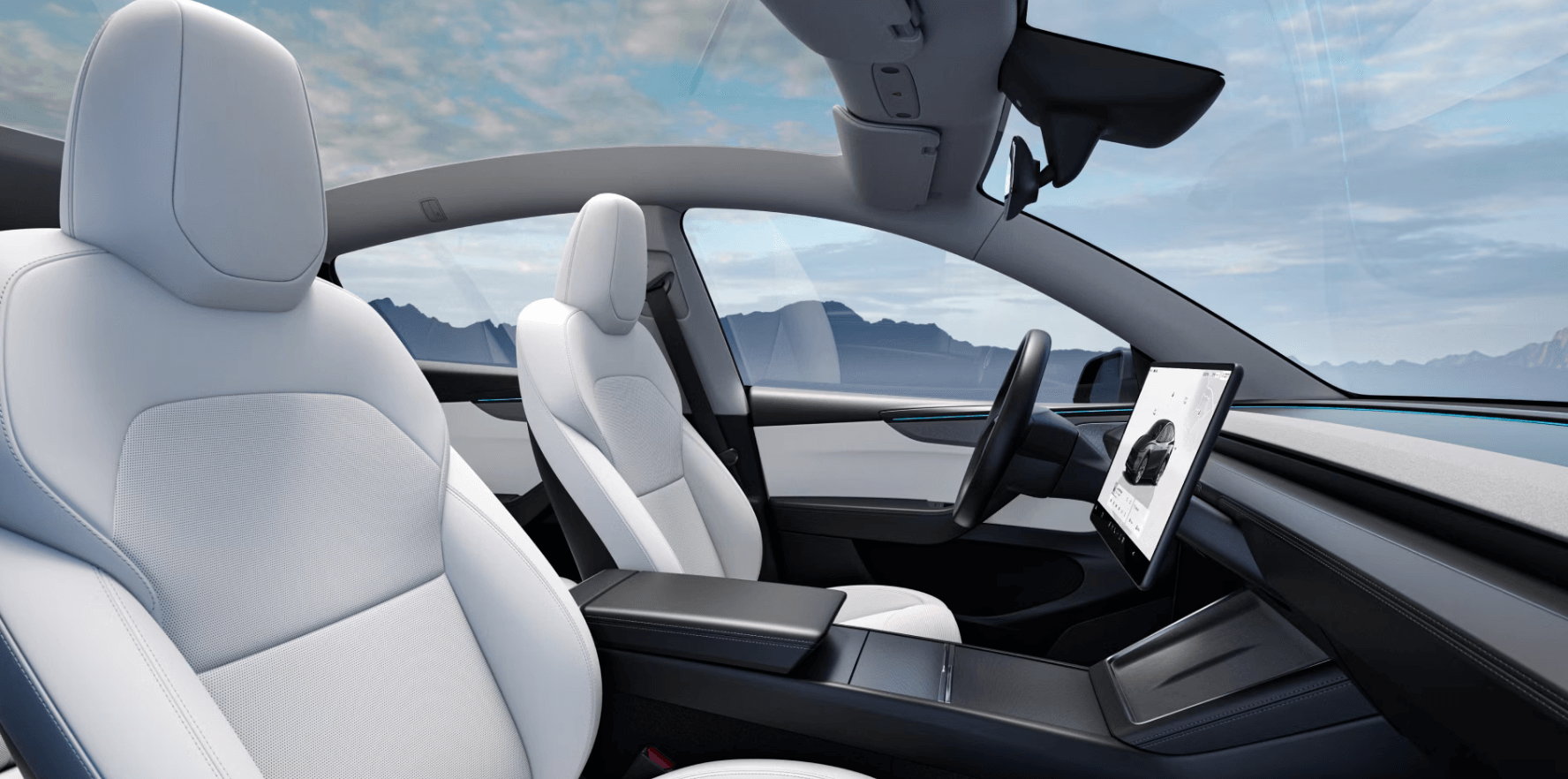
The 2026 Tesla Model Y Juniper represents a significant refresh of Tesla’s best-selling vehicle. It’s not a complete overhaul, but rather a thoughtful evolution of the design and technology that owners have come to expect. The most immediately noticeable change is the new, larger, and fully integrated display dominating the dashboard. It feels like a departure from the minimalist approach of previous models, leaning into a more tech-forward aesthetic. The steering wheel has also been redesigned, removing the stalks previously used for turn signals and gear selection.
Early reports indicate a shift in manufacturing, with increased production at Giga Texas. This could influence build quality and delivery times, though it’s too early to definitively say. The Juniper aims to address some of the criticisms leveled at earlier Model Y iterations, particularly regarding interior refinement and the user experience. Initial reactions have been… intense. The integrated display, in particular, has sparked a lot of discussion, with some praising its sleekness and others expressing concerns about usability.
Tesla’s move towards greater integration is evident throughout the Juniper. The goal seems to be streamlining the driving experience by reducing physical controls and consolidating functions into the touchscreen. This isn’t just about aesthetics; it’s about creating a more cohesive and intuitive interface. The question remains whether this approach will resonate with all drivers, or if the loss of tactile feedback will be a drawback for some. It’s a bold step, and only time will tell if it pays off.
Beyond the visible changes, there are subtle refinements in materials and build quality. While the overall cabin layout remains familiar, the attention to detail appears to be improved. The Juniper isn’t a revolution, but a carefully considered evolution. It’s a Model Y, but noticeably…different. It’s a different experience and will take some getting used to for existing Tesla drivers.
Navigating the New Integrated Display
The heart of the 2026 Model Y Juniper is undoubtedly its new integrated display. It’s larger, brighter, and boasts a higher resolution than the previous generation’s screen. This isn’t simply a larger version of the old display, however; the entire infotainment system has been re-architected. The biggest change, and the one causing the most discussion, is the removal of the traditional steering wheel stalks. Turn signals, gear selection, and other functions are now handled through the touchscreen and the steering wheel itself.
This shift necessitates a learning curve. Drivers accustomed to the physical stalks will need to retrain their muscle memory. The touchscreen interface, while visually appealing, requires more deliberate interaction. Tesla has attempted to mitigate this by implementing intuitive swipe gestures and contextual menus. However, some functions now require more steps to access than before. The YouTube community has already chimed in, with many requesting the option to display the turn signal camera feed on the screen when activated – a feature that would address a key usability concern.
The new display also offers enhanced customization options. Users can tailor the layout to their preferences, choosing which information is displayed and how it’s organized. The system supports over-the-air updates, meaning Tesla can continuously improve the interface and add new features. The performance of the display itself is impressive – it’s responsive and fluid, even when running multiple applications simultaneously. It’s a significant upgrade in terms of both hardware and software.
One potential drawback is the increased reliance on the touchscreen for essential functions. While Tesla has made efforts to minimize driver distraction, any interaction with the screen requires taking your eyes off the road, even briefly. This is a valid concern, and it remains to be seen how drivers will adapt to this new paradigm. It's also worth noting that the removal of physical controls could make it more difficult to operate the vehicle while wearing gloves, or in other situations where precise touchscreen input is challenging.
- Turn Signals: Activated by a button on the steering wheel, with haptic feedback confirming activation.
- Gear Selection: Controlled via a swipe on the touchscreen or a dedicated button on the steering wheel.
- Climate Control: Remains largely unchanged, with primary controls accessible via the touchscreen.
- Media Controls: Integrated into the main infotainment interface, with support for streaming services like Spotify and Apple Music.
Steering and Driving Modes: A New Feel
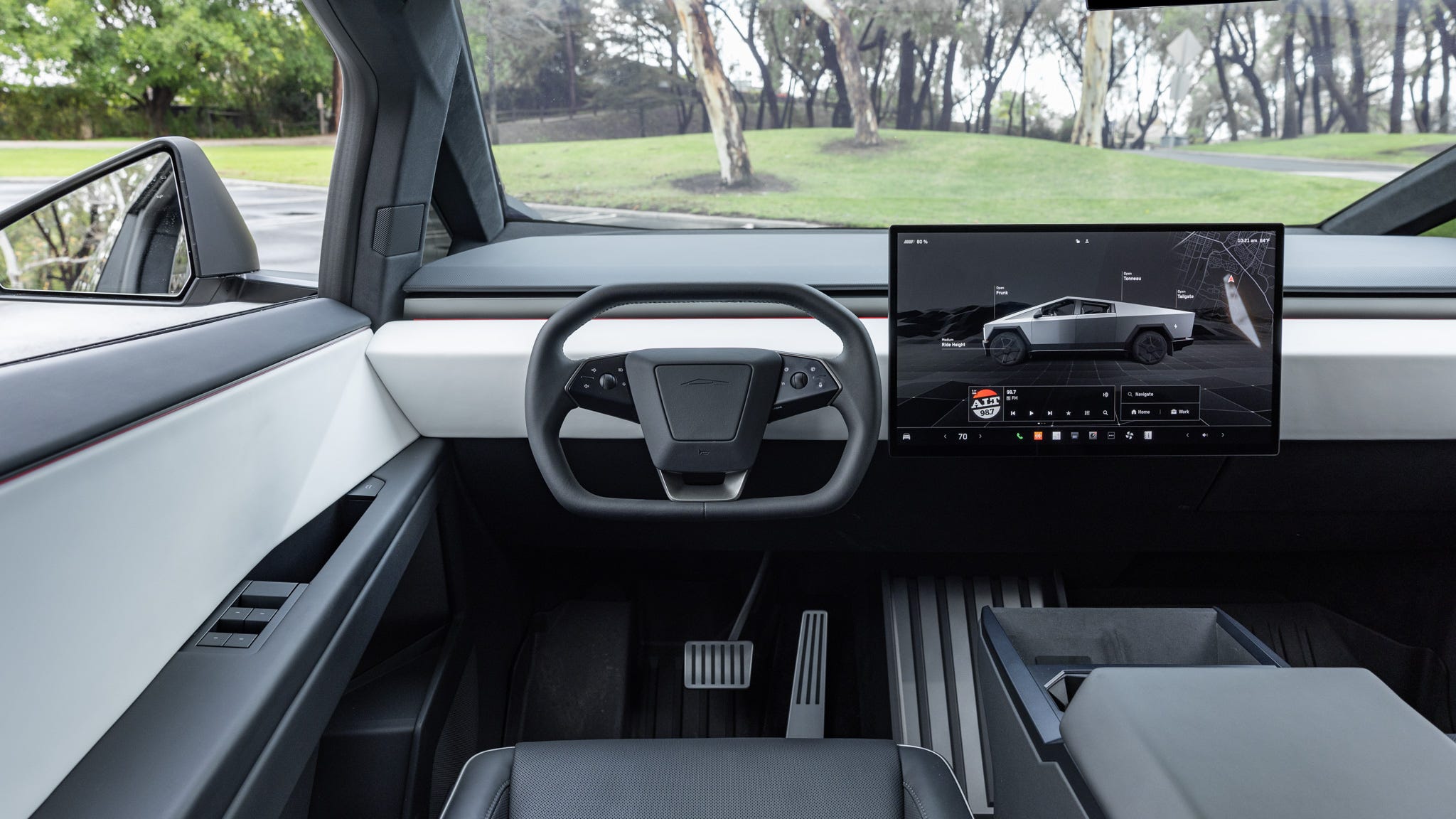
The redesigned steering wheel is a defining characteristic of the Juniper. It eschews the traditional stalks in favor of a cleaner, more minimalist design. Instead of physical stalks, the steering wheel incorporates haptic feedback systems to indicate turn signal activation and other functions. This takes some getting used to, as the sensation is quite different from the familiar click-clack of a traditional stalk. It’s a subtle vibration, and some drivers may find it insufficient.
The driving modes themselves haven’t undergone a radical overhaul, but they’ve been refined to work seamlessly with the new steering system. The steering feel is slightly lighter than in previous Model Y iterations, and the haptic feedback system provides a more direct connection to the vehicle. Autopilot and Full Self-Driving functionality remain largely unchanged, although Tesla is likely to introduce updates that leverage the new steering system in the future.
The removal of physical controls has sparked a debate among Tesla enthusiasts. Some argue that it simplifies the driving experience and reduces clutter, while others lament the loss of tactile feedback and the potential for increased distraction. There's a legitimate argument to be made on both sides. The new system definitely feels different, and it will take time for drivers to adapt. It's a fundamental change to the way the car is operated.
Tesla has included several customization options for the steering wheel, allowing drivers to adjust the intensity of the haptic feedback and personalize the button assignments. This helps to mitigate some of the usability concerns and allows drivers to tailor the system to their preferences. It’s a step in the right direction, but the ultimate success of the new steering system will depend on how well drivers embrace it.
- Haptic Feedback: Provides subtle vibrations to indicate turn signal activation and other functions.
- Steering Wheel Buttons: Customizable buttons for frequently used functions.
- Driving Modes: Standard, Chill, Sport, and Autopilot modes remain available.
- Regenerative Braking: Adjustable settings for regenerative braking strength.
Hidden Menu Options and Easter Eggs
Tesla is known for including hidden features and Easter eggs within its software, and the Juniper is no exception. The Tesla community has already begun uncovering lesser-known settings and diagnostic menus. These aren’t officially documented by Tesla, so accessing them is often done at your own risk. Some of these hidden features can provide valuable insights into the vehicle’s performance and functionality.
One example is a diagnostic menu that displays detailed information about the battery pack, including cell voltages and temperatures. This can be useful for monitoring the health of the battery and identifying potential issues. Another hidden feature allows users to access advanced calibration settings for the Autopilot system. However, modifying these settings without proper knowledge can have unintended consequences.
The discovery of these hidden features often relies on reverse engineering and community collaboration. Tesla doesn’t actively promote these features, but they’re a testament to the company’s engineering prowess and its willingness to experiment. It's worth noting that these hidden menus can change or disappear with software updates, so their availability is not guaranteed.
Unfortunately, They are typically discovered through trial and error by the Tesla hacking community. However, it's safe to say that these features represent a deeper level of control and customization for those willing to explore beyond the standard interface.
- Battery Diagnostics: Access detailed information about the battery pack.
- Autopilot Calibration: Adjust advanced settings for the Autopilot system (use with caution).
- Service Mode: Access diagnostic tools and troubleshooting functions.
- Easter Eggs: Hidden animations and features activated by specific commands.
CarPlay Integration: What You Need to Know
For many drivers, Apple CarPlay integration is a must-have feature. While Tesla’s native infotainment system is capable, some prefer the familiarity and functionality of CarPlay. Unfortunately, Tesla does not natively support CarPlay. However, there are aftermarket solutions available that allow you to integrate CarPlay into the 2026 Model Y Juniper.
Several companies offer CarPlay adapters, including those available through satonic-autoparts.com. These adapters typically connect to the USB-C port in the vehicle and wirelessly project CarPlay onto the Tesla’s touchscreen. The quality of these adapters can vary significantly, so it’s important to do your research before making a purchase. Look for adapters that are compatible with the Juniper’s software and offer a stable and reliable connection.
Installation is generally straightforward, requiring no modifications to the vehicle. However, some adapters may require you to enable developer mode on the Tesla’s touchscreen. Compatibility can also be an issue, as some adapters may not work with all iPhone models or CarPlay features. It’s crucial to check the adapter’s compatibility list before purchasing.
The biggest limitation of these aftermarket solutions is that they don’t fully integrate with the Tesla’s native system. You’ll still need to use the touchscreen to control CarPlay, and some features may not be available. However, for drivers who prefer CarPlay, these adapters offer a viable solution. Expect to spend between $150 and $400 for a quality CarPlay adapter.
CarPlay Adapter Comparison for Model Y Juniper (2026)
| Brand/Model | Installation Difficulty | Feature Completeness | User Reviews |
|---|---|---|---|
| AAWireless | Moderate - Requires USB connection and setup within Tesla | Good - Wireless CarPlay, Android Auto support, generally reliable connection | Generally Positive - Reports of occasional connectivity issues, but overall satisfied users |
| CarLinkIt 3.0 | Easy - Plug and play via USB port | Moderate - Supports CarPlay and Android Auto, some users report limitations with certain phone features | Mixed - Some users experience compatibility problems with specific phone models |
| Ottocast M007 Pro | Moderate - Requires USB connection and app installation | Very Good - Wireless CarPlay and Android Auto, supports video playback (when parked), and offers a more robust connection. | Positive - Users praise the stable connection and additional features, but setup can be slightly complex |
| Motor Trend Wireless CarPlay Adapter | Easy - Plug and play via USB port | Good - Wireless CarPlay and Android Auto, designed for ease of use | Generally Positive - Users appreciate the simplicity, but some report occasional lag |
| Binize Link | Moderate - Requires USB connection and initial configuration | Good - Wireless CarPlay and Android Auto, supports voice control and steering wheel controls | Mixed - Some users report issues with automatic reconnection |
| TLink Pro | Moderate - Requires USB connection and app installation | Moderate - Supports CarPlay and Android Auto, offers basic functionality | Neutral - Users report a functional adapter, but lacking advanced features |
Illustrative comparison based on the article research brief. Verify current pricing, limits, and product details in the official docs before relying on it.
Optimizing Battery Life in the Juniper
Maximizing battery life is a top priority for all Tesla owners, and the 2026 Model Y Juniper is no exception. The new software and hardware may offer some improvements in energy efficiency, but driving habits and charging strategies still play a crucial role. One of the most effective ways to improve range is to drive conservatively, avoiding rapid acceleration and hard braking.
Climate control settings also have a significant impact on battery life. Using the climate control sparingly, or pre-conditioning the cabin while the vehicle is plugged in, can help to conserve energy. Similarly, using seat heaters and steering wheel heaters instead of the full climate control system can also save energy. The Juniper’s software may offer more granular control over these settings, allowing for even greater optimization.
Charging strategies are also important. Avoid fully charging the battery to 100% on a regular basis, as this can degrade the battery over time. Instead, aim to charge to around 80-90% for daily use. Using Tesla’s Supercharger network efficiently, and taking advantage of off-peak charging rates, can also help to reduce charging costs.
The Juniper’s software may include new features related to battery management, such as adaptive energy consumption based on driving conditions and route planning. It’s worth exploring these settings to see how they can help you optimize battery life. Regular software updates will likely introduce further improvements in this area.
How does the real-world range and charging performance of your 2026 Tesla Model Y Juniper compare to your expectations?
As more Model Y Juniper owners hit the road and put their vehicles through daily driving and long-distance trips, we want to hear about your actual experience. Whether you are commuting, road-tripping, or testing the limits of your battery, your feedback helps the Play Tesla community understand what to truly expect from this latest refresh. Vote below!
Troubleshooting Common Juniper Issues
The 2026 Tesla Model Y Juniper, while a significant upgrade, isn’t immune to potential issues. Many early adopters have reported occasional software glitches, connectivity problems, and quirks with the new touchscreen interface. Addressing these issues promptly can prevent frustration and ensure a smooth ownership experience.
One common issue is the touchscreen freezing or becoming unresponsive. This can often be resolved by restarting the system. Another issue is connectivity problems with Bluetooth devices or the Tesla mobile app. Ensure that your devices are properly paired and that your mobile data connection is stable. If problems persist, try resetting the Bluetooth module or reinstalling the Tesla app.
The new steering wheel controls can also be a source of frustration. Some drivers have reported accidental activations of turn signals or gear selection. Practice using the controls and adjust the sensitivity settings to minimize these occurrences. If you encounter a more serious hardware issue, such as a malfunctioning steering wheel button, contact Tesla service.
Tesla’s service network is generally responsive, but wait times can vary depending on location and demand. Before scheduling a service appointment, consult the Tesla owner’s manual and online forums for potential DIY solutions. The Tesla community is a valuable resource for troubleshooting common issues and sharing tips.
Future Updates and What to Expect
The 2026 Tesla Model Y Juniper is a constantly evolving platform. Tesla is committed to improving the vehicle through over-the-air software updates, and we can expect to see a steady stream of new features and enhancements in the coming months and years. One area of focus is likely to be Autopilot and Full Self-Driving functionality.
Tesla is continuously working to improve the capabilities of its autonomous driving system, and future updates may introduce new features such as enhanced lane keeping, automatic lane changes, and improved navigation. The new steering system could play a key role in these advancements, providing a more direct and intuitive interface for autonomous driving.
Another area of potential improvement is the integration with Tesla’s ecosystem. Tesla is expanding its energy products and services, and we can expect to see tighter integration between the Model Y and these offerings. This could include features such as vehicle-to-grid charging and seamless energy management.
Ultimately, the future of the Juniper will be shaped by Tesla’s ongoing innovation and the feedback from its customers. It’s an exciting time to be a Tesla owner, and we can expect to see even more impressive advancements in the years to come.


No comments yet. Be the first to share your thoughts!