

Turn off your Tesla correctly
Unlike internal combustion engine vehicles, a Tesla does not have an ignition key. The software manages the vehicle's power state automatically. When you leave the car, it enters a low-power "sleep mode" to preserve battery health and secure the system. Forgetting to park and lock correctly can keep the car in a high-power state, draining the battery unnecessarily.
Follow this sequence to ensure your Tesla shuts down properly:
Pull into your parking spot and bring the vehicle to a complete stop. Ensure the car is in "Park" (P). This is the prerequisite for all subsequent actions.
Make sure the driver and passenger doors, as well as the rear trunk (frunk) and rear hatch, are fully closed. The car will not lock or sleep if any entry point is ajar.
Press the lock button on the door handle or use the Tesla app on your phone. You should see the side mirrors fold in and hear the lock engage. This action arms the security system and initiates the sleep sequence.
Wait a few minutes. The car is in sleep mode when the exterior lights turn off, the touchscreen goes black, and the side mirrors remain folded. You can check the app to confirm the car is locked and secure.
Leaving the vehicle stationary for extended periods requires specific settings. If you plan to leave your car for more than two weeks, Tesla recommends setting the charge limit to 50% and keeping the vehicle at around 50% state of charge to maintain battery health. You can adjust these settings in the vehicle's "Safety & Security" menu under "Vacation Mode." For detailed guidance on range preservation, refer to Tesla's official support page on range tips.
Optimize battery health with charging limits
Setting the right charge limit is the most effective way to preserve your Tesla battery’s longevity. Lithium-ion cells experience the least stress when kept between 20% and 80% capacity. By avoiding extreme states of charge, you reduce chemical degradation and maintain range over time.
Set your daily charge limit
For everyday driving, configure your vehicle to stop charging at 80% or 90%. This range provides ample range for most daily commutes while keeping the battery chemistry stable. Avoid charging to 100% unless you are planning a long trip that requires the maximum range.
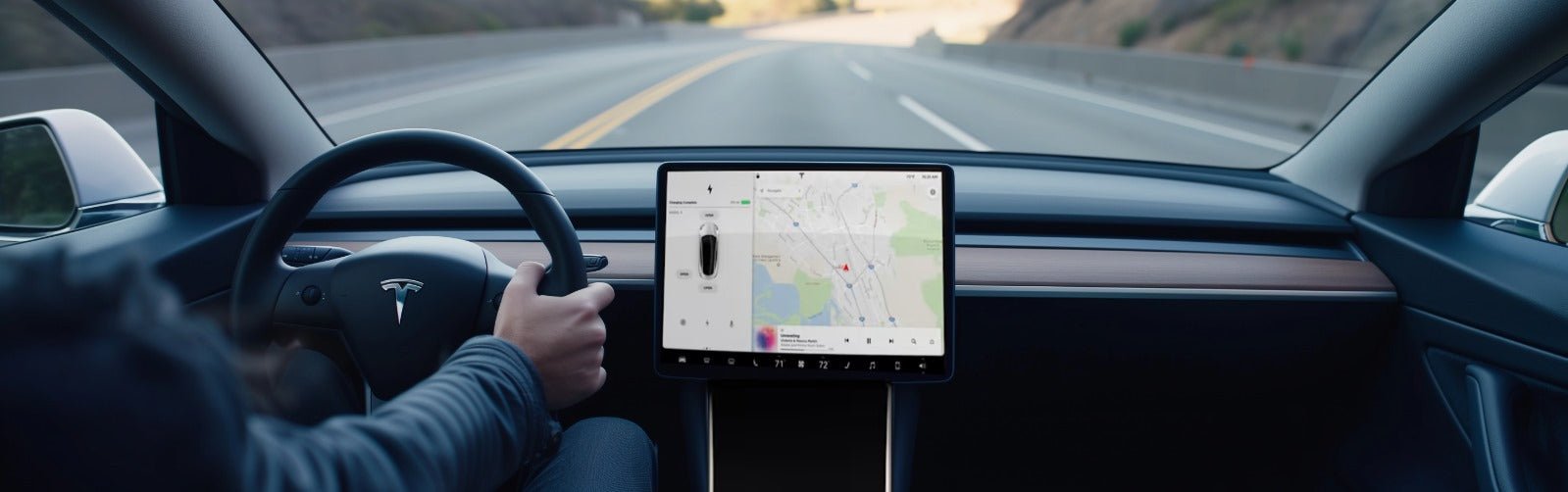
To adjust this setting, navigate to Controls > Charging on your touchscreen. Select Charging Limits and choose 80% or 90% as your daily limit. You can set this once, and the car will remember it for future charges. This simple habit prevents unnecessary stress on the battery cells during routine overnight charging.
Adjust limits for long-term storage
If you plan to leave your vehicle stationary for more than two weeks, the rules change. Tesla recommends leaving the vehicle at approximately 50% charge. Set the charge limit to 50% before parking the car for an extended period. This prevents the battery from draining completely or sitting at a high state of charge, both of which can degrade capacity.
When you return to using the vehicle regularly, switch your charge limit back to 80-90%. This flexibility allows you to maximize battery health without sacrificing range when you actually need it. Consistent adherence to these limits ensures your battery remains efficient for years.
Frequently asked questions about Tesla optimization
Install and configure your wall charger
Installing a Tesla Wall Connector is the most reliable way to charge at home, but it requires professional electrical work. Because this involves high-voltage circuits, you should hire a licensed electrician rather than attempting a DIY installation. Proper setup ensures safety, compliance with local codes, and the ability to use smart charging features.
Before the installer arrives, confirm your electrical panel has enough capacity. Most home chargers require a dedicated circuit, often 40 to 60 amps. If your panel is full or outdated, you may need an upgrade before installation can proceed.
-
Verify electrical panel capacity and available breakers
-
Check local permit requirements and HOA rules
-
Identify the ideal charger location (garage or driveway)
-
Confirm Wi-Fi signal strength at the installation site
The physical installation follows a clear sequence. The electrician will mount the unit, run the conduit and wiring, and connect the circuit breaker. They will then test the connection to ensure the charger communicates correctly with your vehicle.
Choose a location that balances convenience with cable length. The Tesla Wall Connector cable is typically 25 feet long. Ensure the spot is protected from direct weather exposure if mounted outdoors, and keep it away from potential physical damage.
Your electrician will install a dedicated double-pole circuit breaker. This isolates the charger from other household loads, preventing tripped breakers during charging. The wire gauge must match the breaker rating, usually 6 AWG or 8 AWG copper for standard 240V circuits.
The unit is mounted to a sturdy surface using the provided bracket. The electrician runs the conduit from your main panel to the charger. Proper sealing is critical to prevent moisture intrusion, which can damage the internal electronics over time.
Once powered on, use the Tesla Mobile App to configure charging limits and schedules. You can set the charger to draw less power during peak utility hours or charge only when solar production is high. This optimization reduces costs and grid strain.
Smart charging integration allows your car to talk to your home energy system. If you have solar panels or a Powerwall, Tesla’s Opticaster software can coordinate charging to maximize self-consumption of renewable energy. This setup turns your charger into an intelligent node in your home’s energy network.
Maximize daily usage efficiency
Small adjustments to your vehicle’s settings can extend range and protect the battery over time. Focus on pre-conditioning, cabin temperature management, and charging habits to keep your Tesla running smoothly.
Pre-conditioning
Pre-conditioning warms or cools the cabin while the car is still plugged in. This preserves battery range for driving and improves comfort. Access this feature through the Climate menu in the touchscreen or via the Tesla mobile app. Set the temperature before you leave, especially in extreme weather, to reduce the energy drain on the battery once you start driving.
Cabin Overheat Protection
Cabin Overheat Protection prevents the interior from becoming dangerously hot when parked in direct sunlight. You can choose to keep the fans running without using the AC, or maintain a set temperature. If you plan to leave the vehicle for extended periods, consider turning this off to conserve battery, as it will continuously draw power to regulate the temperature.
Charging Habits
For daily use, set your charge limit to 80-90% to reduce stress on the battery cells. Tesla recommends charging to 100% only when necessary for long trips. If you leave the vehicle stationary for more than two weeks, set the charge limit to 50% to maintain battery health, as advised in Tesla’s official range tips.
No comments yet. Be the first to share your thoughts!